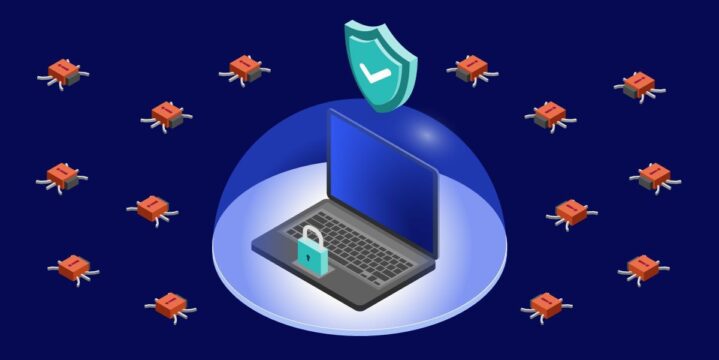
Cyber threats keep evolving, but your defenses can evolve faster. The goal is simple – reduce the chances of a successful attack and limit damage when something slips through.
With a few focused habits and the right controls, you can harden endpoints, tighten networks, and spot trouble early.

Why Malware Seems to Benefit Attackers
Malware seems to “pay” because it scales, adapts, and hides better than most defenses are prepared for. One developer can automate phishing, credential theft, and lateral movement across thousands of machines with little extra effort – which means defenders must think in systems, not one-offs.
Adversaries swap payloads, obfuscate code, and rent delivery kits to test what works today, so blue teams need rapid updates, behavior-based analytics, and rehearsed response playbooks that evolve with the threat.
Even commodity strains aim for persistence, using scheduled tasks, registry changes, and living off the land tools to re-enter after cleanup, which is why stripping standing privileges and enforcing just-in-time elevation matter so much.
The criminal marketplace lowers barriers further by bundling exploits, infrastructure, and support, turning amateurs into operators – defenders should counter with standard builds, application control, and strong default deny policies that make reuse expensive.
Practical Takeaway
Design controls that make mass attacks expensive. Force attackers to craft one-off exploits rather than reuse a kit. When their costs rise, and your detection improves, their so-called benefits fade fast.
Know Your Likely Attack Paths
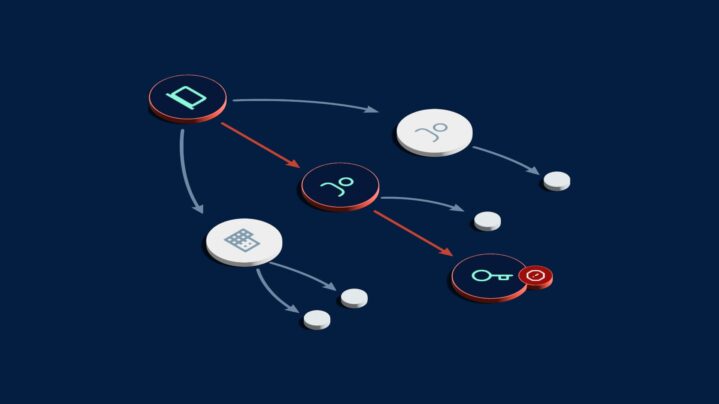
Most compromises start with a few predictable entry points – social engineering, stolen credentials, and unpatched services. Map these paths to specific controls so you can measure coverage and close gaps quickly.
A widely referenced industry breach study reported tens of thousands of real-world incidents across dozens of countries, showing how often basic weaknesses fuel compromise. That scale underscores a simple point – broad controls that neutralize common tactics do the most good.
Quick wins to shrink exposure
- Enforce phishing-resistant multifactor for admins and remote access.
- Patch internet-facing services within defined service level targets.
- Monitor for brute force and impossible travel sign-ins.
- Turn on attachment sandboxing and link rewriting in email.
- Require password managers and disallow password reuse.
Endpoint and Browser Hardening Basics
Endpoints are where payloads run, so harden them first. Standardize operating system builds, lock configuration with device management, and block unsigned or unexpected executables with application control.
Modern attacks love the browser. Limit extensions to an approved list, isolate tabs by site, and use a privacy-preserving ad and script control policy that you can enforce centrally.
Couple this with automatic browser updates and profile isolation for admins.
Essential endpoint controls
- EDR with behavior analytics and automated quarantine.
- Disk encryption and secure boot to protect data at rest.
- Least privilege with just-in-time elevation rather than standing admin rights.
- Automatic updates for OS, browsers, and high-risk apps like PDF readers.
- Application allowlisting for servers and sensitive workstations.
Network Segmentation to Limit Blast Radius

Assume an endpoint gets infected and plan for containment. Segment by role and sensitivity so a compromised laptop cannot freely reach database subnets.
Use identity-aware access controls that permit only what a user or service actually needs. Start by documenting trust boundaries and the traffic that must cross them, then make everything else fail closed.
If you are new to this, review the basics first – What is malware and signs your network is at risk – then sketch a target state that reduces lateral movement. When segmentation aligns to your business processes, the controls are easier to maintain.
Tips for strong segmentation
- Separate user, server, management, and production networks.
- Require MFA-backed VPN or ZTNA for administrative access.
- Inspect east-west traffic and alert on unusual service discovery.
- Use DNS filtering to block command and control destinations.
Detection, Logging, and Rapid Response
Perfect prevention is unrealistic – fast detection wins the day. Centralize logs, set clear alert thresholds, and tune out noise so analysts can move quickly. Practice containment steps so they become muscle memory.
The criminal marketplace keeps lowering the bar for attackers by packaging tools and rental kits. A 2025 security research overview noted growing listings for malware as a service, signaling more frequent and capable commodity attacks. That reality makes automated detection and well-drilled response the difference between a blip and a business disruption.
Build a response you can trust
- Define who declares an incident and the first 5 actions they take.
- Pre-stage scripts to isolate a host, revoke tokens, and rotate keys.
- Keep an out-of-band channel for coordination if email or chat is down.
- After action on every incident and convert lessons into control changes.
People, Process, and Resilience
Security is as much about habits as it is about hardware. Teach staff to verify unexpected requests, use approved channels for file sharing, and report anything odd without fear.
Keep training short, frequent, and practical.
Backups are your safety net. Encrypt them, separate them from the production domain, and test restores on a schedule.
A small restore success metric per quarter beats a shelf full of tapes you cannot use.
Resilience checklist
- Quarterly restore tests with documented timings and gaps.
- Tabletop exercises with IT, legal, and communications.
- Supplier access reviews and removal of dormant accounts.
- Clear data retention rules that reduce the amount of sensitive data at risk.
Software Supply Chain and Configuration Integrity

Attackers increasingly piggyback on trusted tools and updates. Require code signing, verify checksums, and pin versions for critical components.
When possible, use private package registries and scan artifacts before deployment.
Configuration drift opens doors. Track desired state for servers, network gear, and cloud resources, then alert on changes. Tie these alerts to tickets so every deviation is either approved or rolled back.
What good looks like
- Build once, scan, and promote the same artifact through environments.
- Use privileged access workstations for admin tasks only.
- Rotate API keys on a schedule and prefer short-lived tokens.
- Guardrails in infrastructure as code to block risky patterns.
No single control will stop every attack – success comes from layers that make the common cheap attacks fail and the rare ones obvious. Start with endpoints, tighten your network, and drill your response so you can act with confidence when alerts fire. With steady, repeatable practices, you turn malware from a crisis into a manageable risk.