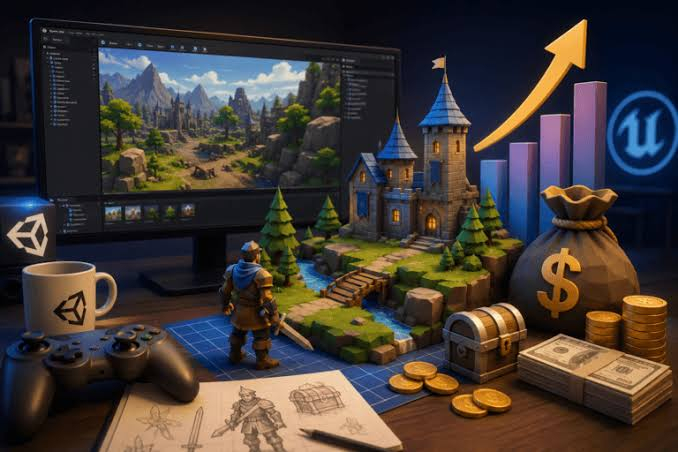
The traditional game art pipeline rests on a costly assumption: that custom, consistent, animated 2D characters demand either a professional artist or months of self‑taught pixel art.
This assumption has forced countless programmers into an unhappy choice—become mediocre artists, rely on generic asset packs, or abandon custom visuals.
But a new generation of AI‑assisted tools is quietly challenging that assumption. Instead of asking “how do we draw better,” they ask “how do we define style once and apply it everywhere.”
That shift is subtle yet profound. Rather than spending hundreds of hours mastering frame‑by‑frame drawing, developers can invest that time in defining their game’s visual DNA—palette, line weight, proportions—and let the AI handle the mechanical reproduction across thousands of frames.
The AI Sprite Generator embodies this philosophy, compressing a week‑long pipeline into a focused twenty‑minute session from concept to engine‑ready assets.
The Broken Pipeline: Why Traditional Tools Fail at Scale
The old pipeline—concept art, sprite sheet creation, animation, engine integration—is linear and labor‑intensive. Each stage introduces interpretation drift. The concept artist sets a style; the sprite artist reinterprets it; the animator introduces slight proportional shifts; the integration step compresses colors or misaligns frames.
By the time the character appears in the game, it is a distant echo of the original vision. This is not a failure of skill but a structural flaw in the pipeline itself. Collapsing that pipeline into a single workflow—define style once, generate all animations from the locked style, export directly with all metadata—eliminates these handoff errors.
The platform’s approach is not about making better artists; it is about removing the mechanical friction that degrades consistency.
A Real‑World Test: From Blank Slate to Playable Character
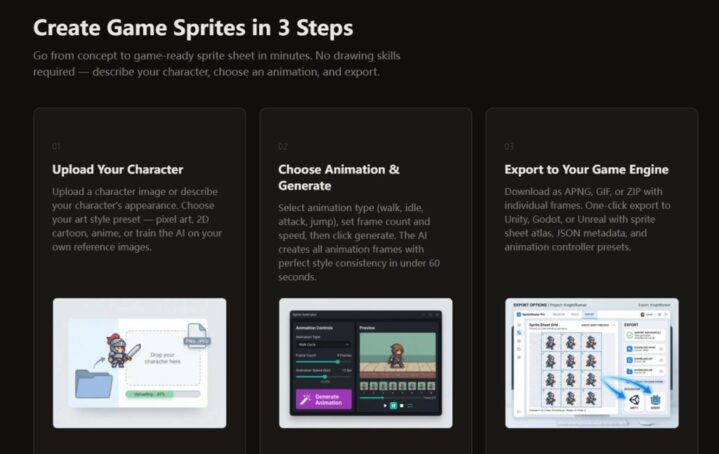
To evaluate whether this collapsed pipeline actually delivers, I ran a full production test: building a complete character from scratch and importing it into Unity, tracking time and effort at each stage.
Step 1: Defining the Visual Identity
Reference Upload vs. Text Description – Which Works Better?
The first stage is defining the character’s visual identity. You can either upload three to five reference images or describe the character in text. I tested both. Text description took about two minutes but produced more variable results, because the AI must interpret words without visual anchors.
Reference upload took about five minutes but delivered predictable, precise outcomes—the AI extracted the exact palette, line thickness, detail level, and proportional rules.
For production use, the reference route is clearly superior, as the locked parameters become the immutable foundation for all generations. Once set, these parameters never change, ensuring that a character created today matches one created next month.
Step 2: Generating the Animation Set
Selecting Animations and Configuring Frame Counts
With the style locked, I selected a standard platformer hero set: idle, walk, run, jump, and attack. For each animation, I configured frame count and frame rate—walk at 8 frames, 12 fps; run at 6 frames, 15 fps; attack at 6 frames, 10 fps for slower impact.
The configuration took about three minutes. The platform supports dozens of animation types—idle, walk, run, jump, melee/ranged attack, magic cast, hit reaction, death, crouch, roll, climb, swim, victory—covering virtually all 2D game needs.
This breadth means a single character can receive a full animation library without switching tools or redefining the style.
Step 3: Exporting Directly to the Game Engine
One‑Click Export with Full Metadata and Controllers
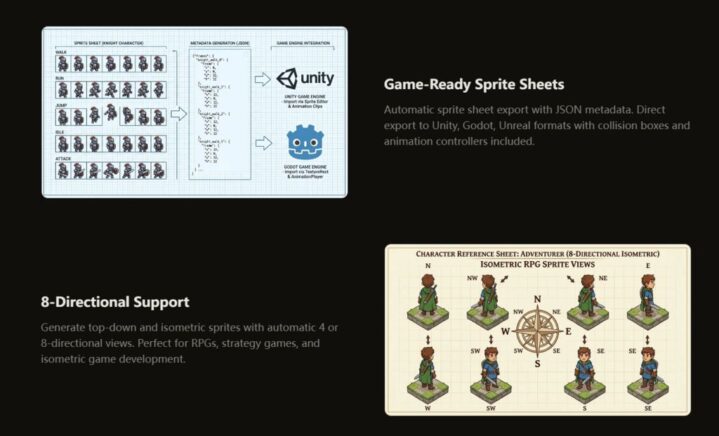
The final stage is exporting to the engine. Many AI tools dump raw sprites, requiring manual atlas assembly and animation controller setup. The platform provides engine‑specific exports: for Unity, a sprite sheet atlas (PNG), a JSON file with frame positions and durations, an animation controller preset, and collision box suggestions; for Godot, AnimatedSprite.tres resources with named frames; for Unreal, Paper2D flipbook data. I tested the Unity export, and the integration was seamless.
The atlas was correctly formatted, the JSON mapped perfectly, and the animation controller required zero additional configuration. The entire export took under one minute. From concept to engine‑ready assets, the total time was approximately twenty minutes—a stark contrast to the twenty to forty hours of traditional manual work.
Beyond the Single Character: Variations and Bulk Generation
The collapsed pipeline truly shines when you need multiple characters or variants. Traditional methods require redrawing every animation frame for each new outfit, hair color, or equipment tier—easily adding twenty hours per variant.
The platform locks the base pose and proportions, then lets you change colors or equipment and regenerate in about three minutes.
In testing, generating ten variants of the base character with different armor colors and weapons took roughly thirty minutes total, and all ten shared the exact same style rules. For strategy games needing dozens of unique NPCs, this workflow reduces production from weeks to a single focused session.
Workflow Comparison: Time, Customization, and Uniqueness
The table below contrasts the AI‑assisted pipeline against manual creation and asset pack usage across key production metrics.
| Aspect | AI‑Assisted Pipeline | Traditional Manual Pipeline | Asset Pack Pipeline |
| Concept to Engine Time | ~20 minutes | 20–40 hours | ~10 minutes (download) |
| Style Definition Effort | ~5 minutes (upload refs) | Hours of concept iteration | Not applicable (fixed) |
| Animation Generation Effort | ~10 minutes (select + generate) | Hours of frame‑by‑frame drawing | Not applicable (fixed) |
| Engine Integration | ~1 minute (one‑click) | Hours of manual setup | ~10 minutes (import/configure) |
| Customization | Unlimited; variants in minutes | Unlimited but time‑consuming | Limited to pack contents |
| Uniqueness | Unique to your game | Completely unique | Shared with every buyer |
The table highlights the fundamental shift: the AI‑assisted pipeline does not compete on artistic perfection but on speed, consistency, and customization without sacrificing uniqueness. It occupies a middle ground that was previously unavailable to indie developers.
Who Benefits Most from This Pipeline?
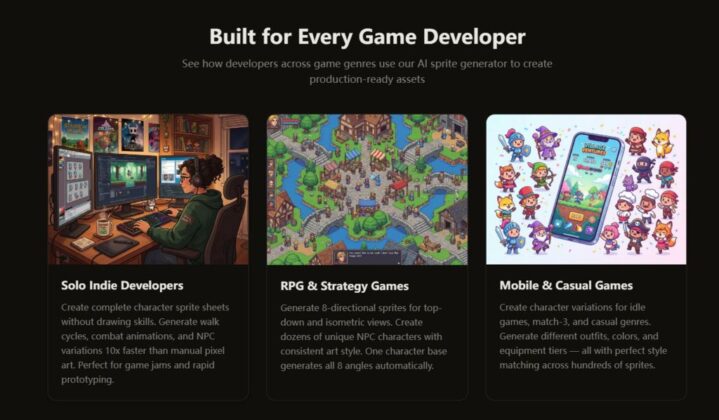
The AI Sprite Generator fits specific developer profiles. Solo indie developers with no art background can now create custom, consistent assets without learning pixel art.
Game jam participants can generate a full character set in minutes, freeing time for gameplay iteration. RPG and strategy game makers benefit from eight‑directional sprite generation and bulk NPC creation.
Mobile developers needing hundreds of character variations for idle or match‑3 games can produce them in hours rather than weeks. The pipeline is also ideal for programmers who want to test mechanics with real visuals instead of placeholder blocks—allowing earlier and more accurate playtesting.
Recognised Limitations and Honest Caveats
The pipeline’s efficiency depends on input quality. Poor references or vague descriptions lead to mediocre output. The platform recommends three to five clear reference images for optimal style training; with fewer, consistency may vary.
Also, while the generated assets are fully functional, they may not achieve the artistic nuance of a professional pixel artist’s hand‑crafted work. For hero characters or key marketing assets, a hybrid approach—using AI for bulk sprites and manual refinement in Aseprite for select characters—is both practical and common.
The platform does not claim to replace artistry; it claims to automate repetition, and that claim holds up in practice. Results may vary with complex poses or unusual proportions, but the locked style parameter significantly reduces unexpected drift.
A New Pipeline for a New Era of Game Development
The platform does not abolish the craft of pixel art; it reallocates creative energy from mechanical reproduction to high‑level design. Developers spend less time on frame‑by‑frame drudgery and more time defining their game’s visual language, testing variations, and iterating on gameplay.
The collapsed pipeline—from concept to engine in twenty minutes—is not a fantasy; it is a practical reality for thousands of sprites, consistently styled and ready to play. For indie teams, solo developers, and anyone who has ever abandoned a game because the art pipeline was too steep, this represents a genuine shift in what is possible.
The result is not just faster production, but more confident creation—knowing that your characters will look like they belong in the same world, from the first frame to the last.