
Live casino looks effortless on the surface: click, stream starts, dealer smiles, cards fly. Underneath, it’s basically a real-time video call with money involved. That means tiny issues – Wi-Fi hiccups, background updates, a browser choking on too many tabs – suddenly matter.
Anyone bouncing between desktop and mobile will run into the same question sooner or later: what’s the most stable way to play? Options like tamasha live casino online app are built for that quick jump-in experience, but the smoothness still depends on what the device and connection are doing behind the scenes.
Why Windows is still the best “control room” for live casino

Phones are convenient. No argument. But Windows has a few unfair advantages for live dealer games:
- A bigger screen so small details (side bets, limits, table rules) don’t get missed.
- More reliable networking, especially on Ethernet.
- Better multitasking, if it’s done carefully (keyword: carefully).
- Easier troubleshooting when something goes weird mid-hand.
Also, a desktop setup tends to stay put. Same router, same connection, fewer surprise network switches. Live casino loves consistency.
Connection first, everything else second
Before touching settings, check the basics. Live casino doesn’t need insane download speeds, but it does need stability.
Use Ethernet if possible
Yes, it’s boring. Yes, it works. If a cable is an option, it’s usually the quickest “fix” for random buffering and pixelated streams.
If Wi-Fi is the only choice, make it the good kind
A few rules that sound obvious, yet get ignored:
- Prefer 5 GHz over 2.4 GHz.
- Stay close to the router (walls are performance killers).
- Avoid playing during heavy home traffic (4K streaming + live casino = asking for it).
Packet loss is the silent enemy here. Even “fast” Wi-Fi can stutter if it’s dropping data.
Be careful with VPNs

VPNs can add latency. Sometimes it’s minor, sometimes it’s brutal. If the stream keeps buffering or the interface feels delayed, try disconnecting the VPN as a test. If it instantly improves, that’s the answer.
Browser vs app: what usually runs smoother on Windows?
A lot of live casino play on Windows happens in the browser. And honestly, that’s fine – if the browser isn’t overloaded.
Best habits for browser play
- Keep the number of tabs low.
- Don’t run two live streams at once (even muted).
- Update the browser regularly.
- Clear cache if things start acting glitchy after weeks of use.
Also check hardware acceleration. Sometimes it improves video playback, sometimes it causes weird stutters depending on the GPU/driver combo. If performance is bad, toggle it and retest.
Windows settings that quietly make a difference
This isn’t about turning a PC into a rocket ship. It’s about stopping Windows from doing unhelpful stuff at the worst time.
Enable Game Mode (yes, even for casino)
Windows Game Mode can reduce background activity. It’s not magic, but it can help keep the system focused during a live stream.
Set a sensible power mode
On laptops, “Battery saver” can throttle performance and mess with smooth playback. Plug in if possible, and use a balanced or best performance setting when playing.
Stop surprise background downloads
One of the most annoying live casino moments: stream drops, and it turns out Windows Update decided now was the time.
- Pause updates during sessions.
- Avoid launching big downloads in the background (cloud sync, Steam updates, etc.).
Update graphics and network drivers
Old drivers can cause odd problems: flickering video, audio delay, random disconnects. Keeping GPU and Wi-Fi/Ethernet drivers current is one of those unsexy moves that prevents headaches later.
Audio, video, and the little things people forget

Live casino is half experience. If audio is delayed or crackly, it ruins the “real table” vibe fast.
Quick checks that fix a lot
- If audio lags: switch output device (speakers to headphones or the reverse), then switch back.
- If video is blurry: check stream quality settings on the platform, then check browser zoom (yes, zoom).
- If the stream freezes: refresh once, not ten times – multiple refreshes can trigger session issues.
And close apps that fight for audio control. Communication tools and screen recorders are common troublemakers.
Security: don’t get casual just because it’s “only a game”
Live casino involves accounts, payments, and personal data. Treat the setup like it matters – because it does.
Stick to legit access paths
Bookmark the real site. Don’t rely on random ads, forwarded links, or “mirror” pages. Phishing in gambling is constant, and it’s usually disguised as a promo.
Use Windows Security properly
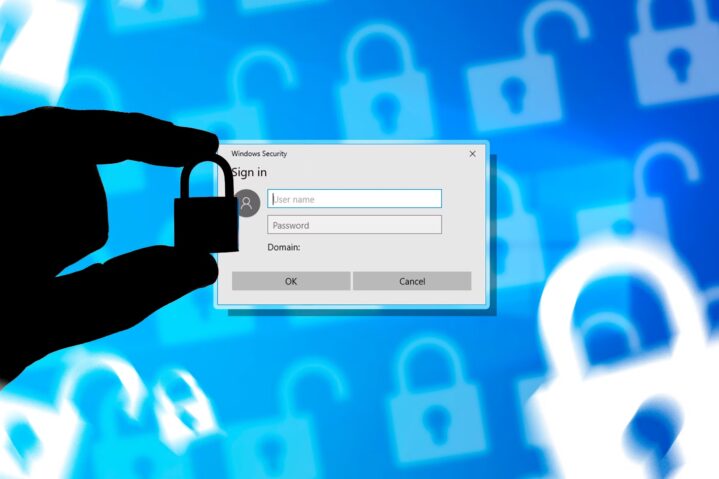
Windows Defender is good enough for most users if it’s enabled and updated. Add in:
- Strong, unique passwords.
- A password manager (seriously worth it).
- Two-factor authentication if the platform offers it.
SmartScreen warnings shouldn’t be ignored on autopilot. If Windows flags a download or a page, pause and double-check.
Avoid sketchy installs
If an “app” comes from an unofficial source, skip it. Live casino is not the place for mystery installers.
Payments: keep it clean and trackable
A smooth gambling experience isn’t just video quality – it’s also being able to deposit and withdraw without drama.
A few habits help:
- Use payment methods with clear transaction history (e-wallets, dedicated cards).
- Avoid saving card details on shared computers.
- Check statements regularly for weird micro-charges.
For extra caution, some players use virtual cards or a separate bank card just for online entertainment spending. It’s a simple boundary that reduces risk.
Responsible play settings that don’t feel preachy
No lectures. Just practical guardrails.
- Use deposit limits if available.
- Set session reminders.
- Turn on Focus Assist in Windows if notifications pull attention away mid-session.
It’s easy to chase “one more hand” when the stream is running smoothly and the table feels lively. That’s exactly why limits exist.
Fast troubleshooting when the stream acts up
When something breaks, try this order:
- Refresh the page once.
- Close extra tabs and background apps.
- Switch Wi-Fi band or move closer to the router.
- Restart the browser.
- Restart the PC (annoying, but effective).
If problems keep happening at the same time each day, it’s often network congestion, not the platform.
Bottom line
Live casino on Windows can be ridiculously smooth – close to the real-table vibe it’s trying to copy – if the connection is stable and the system isn’t fighting itself. Ethernet helps. A clean browser helps. Basic security helps. And skipping the “too many tabs, too many apps” lifestyle helps most of all.