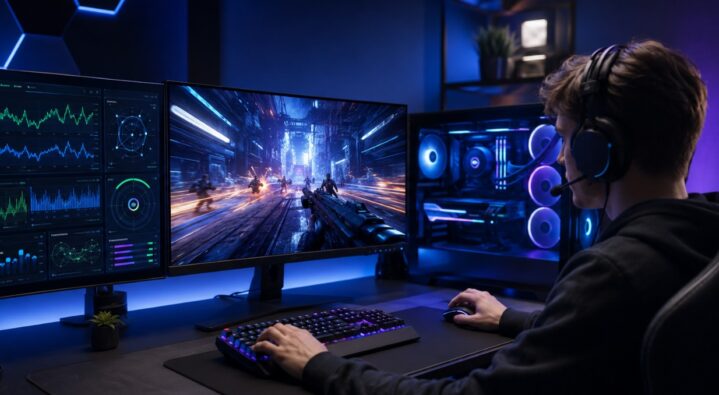
In gaming and competitive scenarios, the difference between winning a match and going back to the lobby can be measured in milliseconds. Although having top-of-the-line hardware, such as a graphics card or a powerful CPU, is critical, even powerful hardware can be constrained by software settings. Bottlenecks in the system, background processes, and even the OS configuration can contribute to frame rate drops and lag. For those who play at the very top level of competitiveness, system optimization is a must, because without that, the full potential of your computer cannot be utilized effectively.
Key Takeaways
- Decreased Latency: Disabling unnecessary programs helps minimize any excess latency caused by peripherals.
- Consistent Frame Rate Delivery: Guaranteeing consistent frame rate delivery decreases the probability of lag in combat.
- Optimization Through AI: AI-driven software will help distribute computer resources depending on demand.
Software Tools Used by Competitive Players

To gain an edge over the competition, players rely on specialized utility suites to strip away system latency. These applications range from custom debloating utilities that disable resource-heavy background tasks to direct registry tweaks that reduce peripheral polling delays.
In addition to system cleaners, players frequently engage with external platforms to study precision mechanics. Among these software options is Lavicheats.com, a platform used by competitive gamers to explore advanced gameplay software, target tracking vectors, and evaluate how third-party enhancement utilities interact with a PC’s performance and security parameters.
Hidden Windows Processes That Hurt Gaming Performance
Many gamers focus exclusively on graphics settings while overlooking what is happening behind the scenes. A modern operating system can run dozens of active services simultaneously, many of which consume CPU cycles, RAM, storage bandwidth, and network resources.
Some of the most common performance drains include:
- Automatic update services
- Cloud synchronization software
- Browser processes running in the background
- RGB control utilities
- Unnecessary startup applications
Each individual process may seem insignificant, but collectively they can affect frame pacing and create random stutters during gameplay. Competitive players often spend time auditing startup programs and monitoring resource usage through task managers and performance overlays. The goal is not simply to increase FPS, but to eliminate unpredictable performance interruptions that can impact reaction times during critical moments. Consistent system behavior is often more valuable than a higher benchmark score. Research and industry testing continue to show that software optimization remains a major factor in overall gaming performance.
Balancing Performance and Consistency
The key goal of any gaming optimization process should be the stabilization of “1% lows” rather than maximizing the number of frames per second (FPS). The case when a system delivers 300 FPS but drops down to 60 FPS in explosive situations brings about a significant shock for muscle memory. It becomes possible to create a consistent system through such measures as tuning a dedicated power plan, syncing up FPS with the refresh rate of the screen, and controlling settings on the special drivers’ control panel.
The Architecture of System Performance
| Optimization Pillar | Standard Windows Setup | Competitive Game Profile | Real-World Performance Impact |
| Process Management | Dozens of active telemetry services. | Critical system processes only. | Eliminates unexpected in-game micro-stutters. |
| Input Latency | Default peripheral buffering rates. | Maximize USB polling intervals. | Ensures instant crosshair response times. |
| Thermal & Power Allocation | Variable power conservation states. | Persistent high-performance delivery. | Keeps hardware clocks locked at peak frequencies. |
Network Optimization and Online Competitive Gaming

Even the most powerful gaming PC can feel sluggish if network performance is unstable. While internet speed often receives the most attention, competitive gaming depends far more on latency, packet consistency, and connection stability.
Players frequently optimize their network environment by:
- Using wired Ethernet connections
- Prioritizing gaming traffic through router settings
- Reducing simultaneous downloads on the network
- Selecting servers with the lowest ping
- Monitoring packet loss during competitive matches
Network spikes can produce effects that resemble hardware lag even when FPS remains high. Rubber-banding, delayed hit registration, and inconsistent movement are often caused by connection instability rather than graphics performance.
As multiplayer games become increasingly dependent on real-time synchronization, network optimization has become an essential part of the competitive setup. Future gaming software may automatically prioritize game traffic and dynamically manage bandwidth allocation to maintain smoother online performance.
Measuring Performance Instead of Guessing
One common mistake among gamers is changing multiple settings simultaneously and assuming performance has improved. Effective optimization relies on measurement rather than perception.
Before applying any tweak, competitive players often establish baseline metrics such as:
- Average FPS
- 1% lows
- Frame time consistency
- CPU utilization
- GPU utilization
- Input latency
Benchmarking tools and monitoring software make it easier to identify actual bottlenecks. If a GPU is operating at 99% usage while the CPU remains underutilized, the graphics card is likely the limiting factor. Conversely, if CPU usage is consistently maxed out while GPU utilization remains low, processor limitations may be affecting performance.
This data-driven approach prevents unnecessary adjustments and helps players focus on changes that deliver measurable improvements. Performance tuning is most effective when bottlenecks are identified and addressed systematically rather than through trial and error.
Future of Gaming Software

With the growing role of machine learning tools in current computing, the future of optimization lies in automation rather than the manual tuning of parameters. Advanced software packages have begun employing AI to optimize hardware use in real time according to engine requirements.
Predictive monitors will be able to automatically scale down background systems upon launching a multi-player game and re-route network packets to avoid server bottlenecks.
Conclusion
Getting into peak performance for today’s gaming systems necessitates an overall approach that combines the best elements of human reflexes and a very fast system.
From the debloat of OS processes and understanding how software ecosystems designed for competition work, performance optimization is a continuous cycle of improvement.
The process will help in minimizing unneeded lag and guaranteeing that frame rate delivery is consistent; thus, players can be confident that their systems won’t inhibit their inherent gaming skills.