This article analyzes the impact that AI technologies bring to the daily Windows computer applications. It analyzes who is utilizing these technologies, which features are integrated into the Windows Operating System, and what major changes are observed. It looks at the relevance of these changes in everyday computing, the changes to user productivity and search patterns, and the integration of AI in computing.
Artificial Intelligence has crossed the threshold from research and development to user adoption in personal computing technologies. Windows, a staple in the computing ecosystem, has AI capabilities which alter user experiences when interacting with a computer. These capabilities range from built-in virtual assistants to augmented search and productivity tools.
Increased adoption of tools like the AI prompt analysis tool and related services demonstrates the demand for these capabilities, and will no longer remain in the technology industry. These trends are likely to shape and influence the development and adoption of AI in Windows. It is also important to consider the Windows features that are AI-enabled, or rely on AI, and the potential that exists for Windows and AI in the future.
The Integration of AI into Windows
Microsoft has applied artificial intelligence to its Windows operating system in ways that go beyond simply installing apps to run AI. Windows now uses AI in fundamental operations such as search and task management. When a real dataset is available that describes how actual users formulate questions and express an intention when dealing with a generative AI system, it is possible to explain how AI responds to users in a particular situation and what instructions are used in AI-driven task management.
AI instructions and response adjustments are a form of behavioral response that describes the interaction between the user and the intelligent system. Understanding such behavioral adjustments is important, as it provides insight into the interaction of an intelligent system with its users.
The behaviors described in the previous paragraphs provide an explanation of the AI smart features and how they respond to the AI smart features of Windows and Microsoft Services. They illustrate how users expect AI features to provide answers and what questions users have. When people ask questions, they expect a system response in real time, as AI is an integral part of the application.
The adoption of generative AI has grown at a rapid pace. For example, according to the Federal Reserve Bank of St. Louis, in the span of a year, the number of adults using generative AI increased from 45 per cent in 2024 to 55 per cent by mid-2025, indicating a significant increase in the use of the technology for both work and non-work purposes. The increase in usage correlates with overall computing trends and a familiarity with AI across devices and services.
Artificial Intelligence for Increasing Productivity
AI has started to improve everyday computing on Windows. New tools are able to draft emails, summarize documents, and answer common questions without users having to leave the workflow on their primary task. This reduces the number of application switches necessary to answer simple questions, and this also reduces mental effort by providing contextual suggestions.
The importance of these real-time support tools is an example of people applying AI for productivity. According to recent studies from Market.biz on usage, approximately 40% of U.S. adults have used generative AI, with 27% of adults using it frequently. This trend is not limited to professionals; everyday users are using these tools to complete repetitive, multi-step processes.
More sophisticated tools enable users to converse naturally rather than rely on formal searches or command structures. This means people can pose questions to the system like they would to another person, and the system will respond in a way that is actionable. This kind of interaction allows people to do a lot more than just locate files or change configurations. It offers a so-called predictive case and assists them with the next steps. All of these things combined for more active support from the system, rather than passive support.
AI Functionalities in Windows Applications
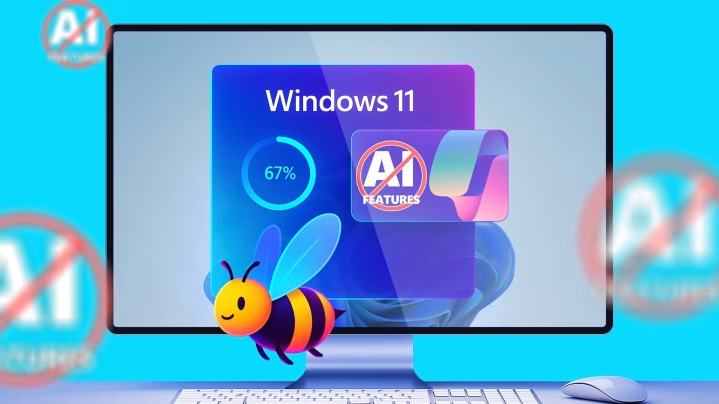
Microsoft Windows is integrating AI across its platforms, with the most easily identifiable example being a virtual assistant that offers suggestions, actions, or answers based on the content of the user’s screen. This integration of AI goes beyond keyword guides and can help users complete activities based on its understanding of natural language, relevant applications, and the context in which they’re working.
AI shows up in various applications, both creative and functional. For instance, apps from Microsoft’s Windows updates, such as Paint and Photos, now have generative text-to-image and editing functions. These updates exemplify AI enhancements that no longer include prompts and commands, but instead become integrated into the tools and applications people use regularly.
Voice interaction is another area that is integrated with AI. Voice-driven tools now have more commands that can be issued, offering more options to hands-free computer users. Together, all these updates show the continued emphasis on more conversational and instinctual interaction with technology. While these updates are meant to be more compatible with technology users’ input, the intent of the words is more important.
AI is increasingly making its way from specialized applications into the core functions of an operating system. These AI features intend to give an impression that the operating system is smart and understands the users’ activities, and that it adapts to the users’ needs, without the need for advanced software installations from the users’ side.
System Performance Improvements thanks to AI
Windows systems have usually improved in responsiveness and performance due to AI innovations. One example is Windows search functions. Windows search now incorporates predictive text and smart indexing to provide better results in less time. Instead of just assuming things based on file names or menu structures, AI search understands the user’s intent and the context of the search. This way, users spend less time searching for things on their devices.
Users are now expanding their AI search capabilities to other sites on the internet. Technological reports show results of web search analysis. Search engines now provide summaries of results based on query analysis AI in about 50 % of their search results. This is a significant and growing trend to satisfy users’ need for predictive search results, rather than simply a list of links to click on to find answers.
AI has further improved performance through contextual optimization. AI techniques have improved the evaluation of user behaviors to better recommend improved layouts and group actions, or even anticipate what a user might need to do and why. These adaptive techniques have reduced user friction, making actions more streamlined and intuitive.
AI-driven systems that analyze behaviors can provide increased security by identifying risks in real time. These systems provide protective features to alert users about abnormal activity faster than manual checks, creating a safer environment. Although these systems are not flawless, they show advancements toward proactive protection through the use of pattern recognition, machine learning, and the systems keep climbing the ladder of security.